
Stylish Name for WhatsApp — Fancy Display Name to Copy & Paste
Click any style to copy it to your clipboard!
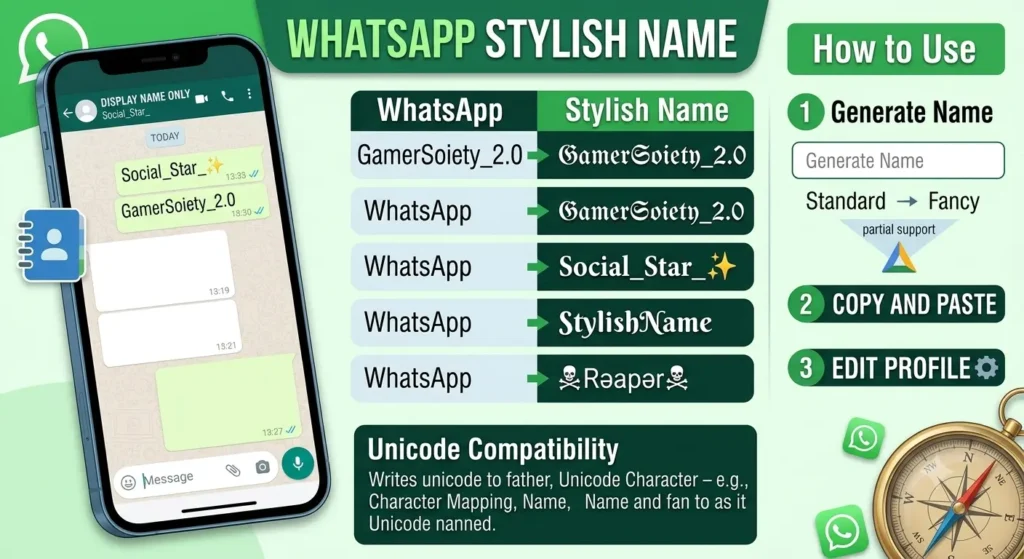
Pick a style from the generator above, copy it, open WhatsApp, go to your profile settings, and paste it as your name. Done in under a minute. Everything here is tested — these characters render correctly in WhatsApp on both Android and iPhone.
WhatsApp is different from Instagram or gaming platforms in one important way: your name here is not shown to followers or opponents. It is shown to every single person who has your phone number. That changes how you think about the name, and the page below covers the practical side of that.
How WhatsApp name style actually work — and one thing most people do not know
Your WhatsApp profile name is what you set in your account settings. Every contact who has your number — and does not have you saved under a different name in their phone — sees your profile name when they open a chat with you or when you appear in their contact list.
Here is the thing most people do not know: if someone has saved you in their phone contacts under a specific name, that is what they see on WhatsApp — not your profile name. WhatsApp pulls the contact name from the phone’s address book and displays that instead of your profile name for anyone who has you saved.
So who actually sees your stylish WhatsApp name? People who have your number but have not saved you yet. People in group chats where your number is not in their contacts. Anyone you message for the first time. And people who saved your number under your phone number rather than a name.
That is still a meaningful number of people — especially if you are active in groups, talk to new contacts regularly, or run a WhatsApp Business account. But it is worth understanding so you have a realistic picture of who sees the name and when.
What WhatsApp supports in a profile name
WhatsApp is one of the more permissive platforms when it comes to Unicode in names. The character limit is 25 characters, and within that limit, most Unicode font styles render correctly on both Android and iPhone. A few specifics:
- Cursive, Gothic, bold, italic, double-struck, and small capitals all work. These are the core mathematical script Unicode ranges and WhatsApp handles all of them without issues.
- Emoji work well on WhatsApp. Unlike some gaming platforms where emoji rendering is inconsistent, WhatsApp handles emoji reliably across devices because it uses the device’s native emoji set. An emoji in your WhatsApp name renders the same way it would in any message you send.
- Decorative bracket symbols work. Characters like ꧁ ꧂ ༒ display correctly in WhatsApp names on both Android and iPhone.
- The name updates for everyone immediately. When you change your WhatsApp profile name, the new name shows up straight away for anyone who opens a conversation with you — no delay, no cache issue.
- No change limit. Unlike Instagram, WhatsApp does not restrict how many times you change your name or how quickly. You can change it as often as you want.
Which styles work best for WhatsApp specifically
WhatsApp displays names in two main places — in the chat list (where it appears at the size of regular body text) and in the chat header when you open a conversation (slightly larger). Both are relatively small. This matters when choosing a style.
Cursive font WhatsApp name— 𝓒𝓾𝓻𝓼𝓲𝓿𝓮
Works very well. Readable at small sizes, elegant in the chat list, and does not look aggressive or out of place regardless of who is looking at it. The most widely used stylish name style on WhatsApp across South Asia, particularly for personal accounts. If you want a name that looks intentional without making a strong personality statement, this is the safest choice.
Bold — 𝗕𝗼𝗹𝗱
Clean and readable at any size. Stands out more than regular text in the chat list because of the weight, but does not look decorative or unusual. Works well for business contacts and professional accounts — it reads as confident rather than ornamental. If you use WhatsApp for work contacts, bold is a better choice than cursive or Gothic.
Small caps — ꜱᴍᴀʟʟ ᴄᴀᴘꜱ
Underused on WhatsApp. Looks clean, slightly unusual, and completely readable. Because it is not the default style everyone defaults to (Gothic and cursive are much more common), it tends to get noticed more than you would expect. Worth trying if you want something that stands out without looking heavy.
Gothic — 𝔊𝔬𝔱𝔥𝔦𝔠
Works, but think about context. Gothic is strongly associated with gaming in South Asian communities. On WhatsApp, where your contacts include family, colleagues, and people from all different contexts, a Gothic name can read as oddly aggressive. It makes sense for personal accounts used primarily among friends your own age who would recognise the style. Less appropriate for professional or mixed-context contact lists.
Italic — 𝘐𝘵𝘢𝘭𝘪𝘤
Soft and slightly editorial. Works well if you also use the same name on Instagram. Does not read as heavy or aggressive. One of the better choices for girl accounts or anyone going for a subtle rather than bold stylistic statement.
Stylish name for WhatsApp group names
Group names on WhatsApp use the same Unicode support as profile names. The character limit for group names is also 25 characters. This is worth thinking about if you manage family groups, friend groups, or business groups — a stylish group name makes the group easier to spot in a long chat list.
A few group name ideas across different contexts:
| Group type | Style | Example names |
|---|---|---|
| Friends group | Cursive | 𝓣𝓱𝓮 𝓒𝓻𝓮𝔀 𝓢𝓺𝓾𝓪𝓭 𝓖𝓸𝓪𝓵𝓼 𝓛𝓸𝔀𝓴𝓮𝔂 𝓑𝓻𝓸𝓼 |
| Family group | Bold or small caps | 𝗔𝗹𝗶 𝗙𝗮𝗺𝗶𝗹𝘆 ᴀʟɪ ꜰᴀᴍɪʟʏ 𝗞𝗵𝗮𝗻 𝗙𝗮𝗺𝗶𝗹𝘆 |
| Work / business group | Bold or double-struck | 𝗧𝗲𝗮𝗺 𝗣𝗿𝗼𝗷𝗲𝗰𝘁 𝕆𝕗𝕗𝕚𝕔𝕖 𝕋𝕖𝕒𝕞 𝗦𝗮𝗹𝗲𝘀 𝗤𝟮 |
| Gaming squad group | Gothic or Gothic border | ꧁𝔖𝔮𝔲𝔞𝔡꧂ ༒𝔊𝔥𝔬𝔰𝔱𝔰༒ ✦𝔈𝔩𝔦𝔱𝔢✦ |
| Study / class group | Italic or small caps | 𝘊𝘭𝘢𝘴𝘴 𝘰𝘧 𝟐𝟔 ꜱᴛᴜᴅʏ ɢʀᴏᴜᴘ 𝘉𝘢𝘵𝘤𝘩 𝟐𝟎𝟐𝟔 |
Fancy text WhatsApp status
Give your status a stylish upgrade with fancy text for WhatsApp status that grabs attention the moment someone views it. Using a WhatsApp status font generator, you can instantly convert plain words into bold, cursive, or unicode-styled text — no app installs, no formatting skills required. Just type your message, pick a style, and copy-paste it straight into your status. It’s a simple, free way to make your WhatsApp fancy status feel more expressive and unique, whether you’re sharing a quote, a mood, or just saying hi.
best WhatsApp name ideas 2026 — tested in WhatsApp
Personal names — for individual accounts
Cursive — most popular for personal WhatsApp
𝓐𝓵𝓲 𝓗𝓪𝓼𝓪𝓷 𝓢𝓪𝓻𝓪𝓱 𝓐𝓵𝓲 𝓩𝓪𝓲𝓷𝓪𝓫 𝓗𝓪𝓼𝓪𝓷Bold — confident and readable at small size
𝗔𝗹𝗶 𝗛𝗮𝘀𝗮𝗻 𝗦𝗮𝗿𝗮𝗵 𝗞𝗵𝗮𝗻 𝗔𝗵𝗺𝗮𝗱 𝗥𝗮𝗷𝗮Small caps — subtle and distinctive
ᴀʟɪ ʜᴀꜱᴀɴ ꜱᴀʀᴀʜ ᴋʜᴀɴ ᴀʜᴍᴀᴅ ʀᴀᴊᴀ
Cute names — for girl accounts
Cursive with emoji — works cleanly on WhatsApp
𝓩𝓪𝓲𝓷𝓪𝓫 🌸 𝓢𝓪𝓻𝓪𝓱 ✿ 𝓐𝔂𝓮𝓼𝓱𝓪 💫Italic — soft and light
𝘚𝘸𝘦𝘦𝘵𝘎𝘪𝘳𝘭 𝘚𝘰𝘧𝘵𝘚𝘰𝘶𝘭 𝘓𝘶𝘯𝘢𝘚𝘵𝘢𝘳
WhatsApp stylish name for boy attitude — WhatsApp name for boy
Gothic — bold statement, use in right context
𝔇𝔞𝔯𝔨𝔎𝔦𝔫𝔤 𝔖𝔦𝔩𝔢𝔫𝔱𝔖𝔬𝔲𝔩 𝔅𝔞𝔡𝔅𝔬𝔶 Bold italic — sharp and direct
𝙉𝙤𝙁𝙞𝙡𝙩𝙚𝙧 𝙐𝙣𝙩𝙖𝙢𝙚𝙙 𝙍𝙖𝙬𝙀𝙣𝙚𝙧𝙜𝙮
How to change your WhatsApp name
Three taps and a paste.
- Copy a name from the generator at the top of this page.
- Open WhatsApp. Tap the three dots (⋮) in the top-right corner on Android, or tap Settings at the bottom-right on iPhone.
- Tap your name or profile picture at the top of the settings screen.
- Tap the pencil icon next to your current name.
- Delete the existing name completely. Long-press the field and tap Paste.
- Tap the confirm icon (✓ on Android, Save on iPhone).
Your new name is visible to contacts immediately. No delay, no review process. If you change your mind, you can change it again straight away — WhatsApp has no limit on how frequently you rename.
On WhatsApp Web or Desktop, the process is: three dots → Settings → your profile → tap the name field → edit → confirm. Same result.
WhatsApp Business name style — does this work there too?
Yes, with a small difference. WhatsApp Business has two name fields — your personal profile name and your business name. The business name is set during account creation and cannot be changed freely; it requires WhatsApp’s verification process if you want to alter it on a verified account.
For the personal profile name in WhatsApp Business — the one in your account settings — Unicode stylish fonts work the same way as in regular WhatsApp. The character limit is 25 characters.
For unverified WhatsApp Business accounts (the kind most small businesses use), you can change both fields more freely. If you are using WhatsApp Business to represent a small shop, freelance service, or personal brand, a stylish display name is worth considering — it makes the account look more distinct in your customers’ contact lists.
A few things worth clearing up
“My contacts do not see my stylish name.” Probably because they have you saved in their phone contacts under your regular name. WhatsApp shows whatever name someone saved you as in their address book — not your WhatsApp profile name — to that contact. This is not a bug or a Unicode issue. It is just how WhatsApp works.
“The stylish name showed up as boxes for one of my contacts.” This is very rare with modern phones — Unicode support is essentially universal on devices from the last five years. If it happened, the most likely cause is that the contact is on a very old Android version or a budget device with an older operating system. The fix is nothing you can do — it is on their end.
“WhatsApp will restrict my account for using a fancy name.” No. WhatsApp’s enforcement is around spam, abusive behaviour, and policy violations. Using a Unicode font in your name is not a violation of anything. Tens of millions of people do it.
“The character limit is 20.” It is 25. The 20-character figure is wrong and appears on a few older guides. Twenty-five characters gives you enough room for a short name with a border or emoji on each side.
More name styles and platforms
- Instagram stylish names — display name fonts for Instagram bio, same styles tested there
- TikTok stylish names — display name styles for TikTok profiles
- Truecaller stylish names — set a fancy name on Truecaller, popular across South Asia
- Telegram stylish names — profile and group name styles for Telegram
- Cute stylish names — extended collection for girl accounts and personal profiles
- Sad stylish names — list of detailed sad WhatsApp name
- royal stylish names — elegant and supreme royal WhatsApp name
- Attitude stylish names — for accounts projecting confidence and edge
- Urdu stylish names — WhatsApp-compatible names generated from Urdu input
- Hindi stylish names — WhatsApp-compatible names from Hindi input
Quick answers
How do I change my WhatsApp name with a fancy font? Steps to WhatsApp name change stylish
Settings → tap your profile at the top → tap the pencil icon next to your name → delete the current name → paste the stylish one → confirm. Done. Works the same on Android and iPhone.
Does WhatsApp support Unicode in the profile name?
Yes. WhatsApp fully supports Unicode characters in display names on both Android and iPhone. Cursive, Gothic, bold, italic, double-struck, small capitals, emoji, and decorative symbol borders all render correctly.
Will my contacts see my stylish WhatsApp name?
Contacts who have not saved you in their phone’s address book will see your WhatsApp profile name. Contacts who have you saved under any name in their contacts see that saved name instead — WhatsApp pulls from the phone’s address book and that takes priority.
What is the WhatsApp name character limit?
25 characters. Not 20 — that number appears on older guides and is wrong. Twenty-five characters gives enough room for a short name with emoji or symbol borders.
Can I use a stylish name on WhatsApp Business?
Yes. The personal profile name field in WhatsApp Business supports Unicode the same way as regular WhatsApp. The verified business name field has different rules — that one requires WhatsApp’s verification process to change on a verified account.
Can I use a stylish name for a WhatsApp group?
Yes. WhatsApp group names support the same Unicode characters as profile names. The character limit for group names is also 25 characters.
How many times can I change my WhatsApp name?
As many times as you want. WhatsApp has no limit on how frequently you change your profile name, unlike Instagram which limits changes to twice per 14 days.