
Stylish Name for TikTok — Fancy Display Name Fonts to Copy & Paste
Click any style to copy it to your clipboard!
Use the generator above to pick a TikTok name style, copy it, and paste it into your TikTok display name. Everything here is tested on TikTok — the styles that get filtered or break on the platform have already been removed.
TikTok works differently from Instagram in one way that matters here: your name shows up on every video you post, in every comment section you appear in, and on the For You page where most people discover you before they ever visit your profile. The name is not just a profile detail — it is part of every piece of content you put out. That is worth thinking about before you commit to a style.
Display name versus username on TikTok — same rule as Instagram
TikTok separates the two fields the same way Instagram does.
Your username is the @handle — shown in your profile URL, used in mentions, restricted to letters, numbers, periods, and underscores. No Unicode fonts allowed here.
Your display name is the name shown above your bio on your profile page and — crucially — overlaid on every video you post and in every comment you leave. This field accepts Unicode characters. This is where stylish fonts go.
So the stylish name you generate here goes into the display name field. Not the username. If you paste it into the username field, TikTok will reject it. That is not a bug — it is how the platform works.
Where TikTok actually shows your display name
This matters more on TikTok than on any other platform. Your display name appears in four places:
- Your profile page — in bold above your bio. Same as Instagram.
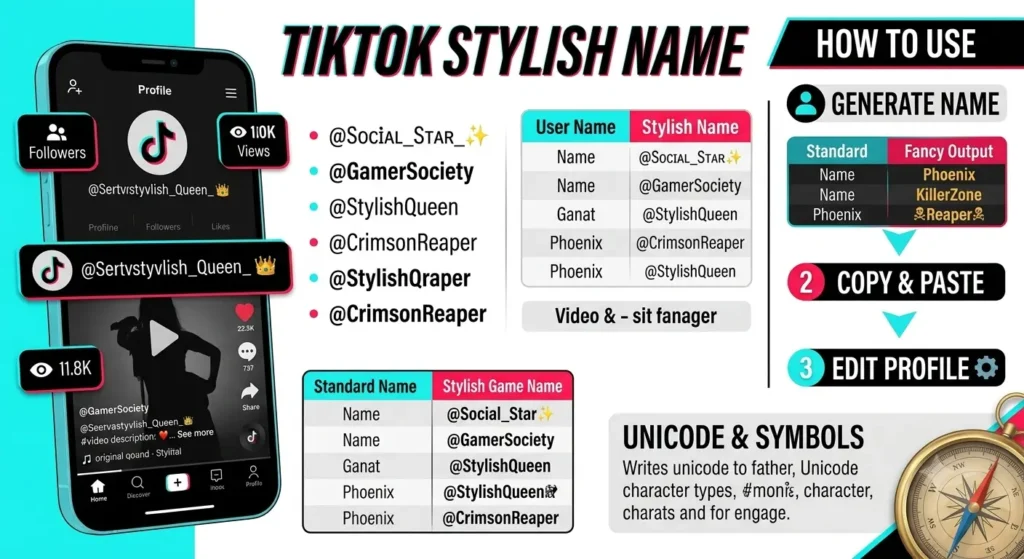
- Your videos — overlaid in the bottom-left of every video you post, next to the follow button. Every person who watches your video sees your name here.
- The For You page — when your video appears in someone's feed, your name is on it. This is the highest-visibility placement on the platform, and it reaches people who have never seen your profile.
- Comment sections — every comment you leave shows your display name. If you comment on a popular video, your name is visible to everyone who scrolls through that comment section.
The video overlay and For You page placement change the calculus compared to Instagram. On Instagram, your display name is mainly a profile detail. On TikTok, it is part of your content. A name that looks great as static text on a profile page might not read as well at small size in a video overlay. Keep readability in mind when picking a style.
TikTok's name change restriction — the one that trips people up
TikTok limits display name changes to once every 30 days. This is stricter than Instagram (twice per 14 days) and much stricter than WhatsApp (no limit). If you change your display name and then want to change it again, you have to wait a full month.
This means it is worth testing before you commit. A few ways to do that:
- Create a secondary TikTok account and set the name you want to test on it. Go through your For You feed on that account and see how the name looks on videos in the overlay. That is the closest simulation of how it will actually appear.
- Screenshot your current profile header and mock up how the new name would look in a photo editor before changing it. Basic but effective.
- Look at how the name style appears in comments — open a comment section on any popular video, and the comment author names are roughly the same size and weight as yours will be.
Which styles work best on TikTok specifically
Given that your name appears in video overlays and comments — not just on a static profile — readability at small sizes matters more here than on Instagram or WhatsApp.
Cursive font TikTok bio — 𝓒𝓾𝓻𝓼𝓲𝓿𝓮
The most popular stylish font on TikTok. Reads at small sizes, looks elegant in the video overlay, and crosses over to Instagram seamlessly if you are building a presence on both. If you want one font style that works everywhere, cursive is the answer. Most of the larger beauty, lifestyle, and aesthetic creator accounts in South Asia and globally use cursive or cursive variants in their display names.
Bold — 𝗕𝗼𝗹𝗱
Exceptional readability at small sizes — better than any decorative style. If your content is in a category where authority matters (finance, education, fitness, tech), bold reads as confident and professional in the video overlay without being decorative. Less aesthetic, more functional.
Italic — 𝘐𝘵𝘢𝘭𝘪𝘤
Softer than bold, more editorial than cursive. Works well for art, photography, and lifestyle content. Slightly harder to read in very small sizes than bold or small caps, but clear enough in TikTok's comment text size.
Small caps — ꜱᴍᴀʟʟ ᴄᴀᴘꜱ
Clean and unusual. Because everyone on TikTok defaults to cursive or Gothic, a small-caps name stands out in comment sections without looking heavy. One of the better choices if you want a name that is distinct without being elaborate.
Gothic — 𝔊𝔬𝔱𝔥𝔦𝔠
Works for gaming and alternative content creators. Less suited to beauty, lifestyle, or mainstream creator accounts where the aesthetic clashes. In comment sections on gaming or music-related content, Gothic reads naturally. On a cooking or travel account, it looks like the name belongs to someone else's content.
What to avoid
Symbol borders (꧁ ꧂ ༒) are hard to read in video overlays at small size. A heavily bordered name that looks striking in a profile header becomes a blur of shapes in the bottom-left corner of a video. Either skip the borders entirely for TikTok or keep them minimal — one symbol on each side maximum.
Best TikTok display name ideas 2026 — tested on TikTok
Aesthetic and lifestyle — for personal and creator accounts
Cursive — the TikTok creator standard
𝓜𝓸𝓸𝓷𝓵𝓲𝓰𝓱𝓽 𝓢𝓸𝓯𝓽𝓢𝓸𝓾𝓵 𝓖𝓸𝓵𝓭𝓮𝓷𝓗𝓸𝓾𝓻Cursive with emoji — still reads in video overlay
𝓢𝓾𝓷𝓼𝓮𝓽 🌅 𝓦𝓲𝓵𝓭𝓕𝓵𝓸𝔀𝓮𝓻 🌸 𝓡𝓸𝓼𝓮𝓗𝓸𝓾𝓻 ✨Small caps — stands out in comment sections
ᴍᴏᴏɴʟɪɢʜᴛ ꜱᴏꜰᴛꜱᴏᴜʟ ɢᴏʟᴅᴇɴʜᴏᴜʀ
Cute — for girl accounts
Cursive with light emoji border
✿ 𝓢𝓪𝓴𝓾𝓻𝓪 ✿ 🌸 𝓐𝓷𝓰𝓮𝓵 🌸 ♡ 𝓢𝔀𝓮𝓮𝓽𝓟𝓮𝓪 ♡Italic — soft and readable
𝘚𝘰𝘧𝘵𝘎𝘪𝘳𝘭 𝘓𝘶𝘯𝘢𝘚𝘵𝘢𝘳 𝘗𝘦𝘢𝘤𝘩𝘚𝘬𝘪𝘦𝘴
Bold and creator-focused — for content with authority
Bold — maximum readability in video overlay
𝗔𝗹𝗲𝘅𝗖𝗿𝗲𝗮𝘁𝗲𝘀 𝗦𝗮𝗿𝗮𝗵𝗙𝗶𝘁𝗻𝗲𝘀𝘀 𝗠𝗮𝗿𝗸𝗧𝗵𝗶𝗻𝗸𝘀Double-struck — modern and distinctive
𝔸𝕝𝕖𝕩𝕋𝕒𝕝𝕜𝕤 𝕄𝕒𝕣𝕜𝔹𝕦𝕚𝕝𝕕𝕤 𝕊𝕒𝕣𝕒𝕙𝕃𝕚𝕧𝕖𝕤
Gaming and attitude — for gaming creators and bold personalities
Gothic — works for gaming TikTok content
𝔇𝔞𝔯𝔨𝔎𝔦𝔫𝔤 𝔖𝔦𝔩𝔢𝔫𝔱𝔎𝔦𝔩𝔩 𝔊𝔥𝔬𝔰𝔱𝔉𝔦𝔯𝔢Bold italic — sharp and direct
𝙉𝙤𝙁𝙞𝙡𝙩𝙚𝙧 𝙐𝙣𝙩𝙖𝙢𝙚𝙙 𝙍𝙖𝙬𝙀𝙣𝙚𝙧𝙜𝙮
How to change your TikTok display name
- Copy a name from the generator at the top of this page.
- Open TikTok and go to your profile page (tap Me or your avatar at the bottom).
- Tap Edit profile.
- Tap the Name field — not the Username field.
- Delete your existing display name completely.
- Long-press the field and tap Paste.
- Tap Save.
Your new display name is live immediately on your profile, in comments, and on new videos you post. Videos you have already posted will update too — TikTok uses your current display name across all your content, not the name you had when the video was posted.
Remember: you can only do this once every 30 days. If you change it now and want to change it again next week, you will get an error saying the name was recently changed. Plan before you commit.
Using the same name on TikTok and Instagram
A lot of creators run both platforms. If you want name consistency across TikTok and Instagram, the same Unicode styles work on both — but there are a couple of things worth knowing.
TikTok's display name limit is 30 characters, same as Instagram. So a name that fits on Instagram will fit on TikTok. The styles that render correctly on Instagram also render correctly on TikTok — the Unicode support is essentially the same.
The main consideration is readability. A name that looks great as the static bold name at the top of your Instagram profile needs to also hold up at the small size it appears in TikTok video overlays. If you already have an Instagram display name and are copying it to TikTok, pull up a TikTok video, look at the creator's name in the bottom-left overlay, and check whether your chosen name would be readable at that size.
Cursive and small caps hold up best across both platforms. Symbol-bordered names hold up less well on TikTok than on Instagram for the readability reason above.
A few things worth clearing up
"Stylish names do not work on TikTok." Same misunderstanding as with Instagram — people try the @username field and it rejects Unicode, so they assume the whole platform does not support it. The display name field does. Wrong field, not wrong platform.
"TikTok will ban you for using a fancy name." No. Unicode display names are a supported feature. TikTok's enforcement is around content violations, spam, and impersonation. A cursive or Gothic font version of your name triggers none of those.
"You can change your TikTok name any time." You cannot — once every 30 days. This is the most common mistake on TikTok specifically. WhatsApp has no limit, Instagram allows two changes per 14 days, TikTok allows one change per 30 days. Know the restriction before you make the change.
"The character limit is 24." It is 30. The 24-character figure appears on some older guides. Current TikTok allows 30 characters in the display name field.
More name styles and platforms
- Instagram stylish names — same display name concept, same Unicode support, slightly different context
- WhatsApp stylish names — for your WhatsApp display name, no change frequency limit
- YouTube stylish names — channel display name styles for YouTube creators
- Cute stylish names — larger collection for aesthetic and personal accounts
- Attitude stylish names — for bold, edgy, or gaming-creator identities
- Stylish names for girls — curated across aesthetic, cute, and soft styles
- Stylish names for boys — TikTok name for boy, cool TikTok name ideas for boys
- Hindi stylish names — TikTok-compatible display names from Hindi input
Quick answers
Can I use fancy fonts in my TikTok display name?
Yes — in the display name field (the bold name on your profile and in video overlays). Not in the @username, which only accepts plain letters, numbers, periods, and underscores.
Do stylish names work in the TikTok @username?
No. The @username is restricted to plain characters. Unicode fonts only work in the display name — the separate field shown on your profile and on your videos.
How do I change my TikTok display name?
Profile → Edit profile → Name field (not Username) → delete existing → paste new name → Save. Takes effect immediately across all your content.
How many times can I change my TikTok display name?
Once every 30 days. This is stricter than Instagram (twice per 14 days) and WhatsApp (no limit). Plan your change carefully — you cannot easily undo it for a month.
What is the character limit for a TikTok display name?
30 characters. The 24-character figure on some older sites is wrong. Same limit as Instagram.
Will my TikTok display name update on old videos?
Yes. TikTok uses your current display name across all your content — past and future. When you change your name, it updates on every video you have already posted.
Can I use the same stylish name on TikTok and Instagram?
Yes. Both platforms support the same Unicode styles in their display name fields, and both have a 30-character limit. A name that works on Instagram will work on TikTok. Just check readability in TikTok's video overlay context before committing, since that is smaller than Instagram's profile header.