
Stylish Name for PUBG Mobile — Copy & Paste PUBG Names (2026)
Click any style to copy it to your clipboard!
Pick any style from the generator above, tap it to copy, open PUBG Mobile, and paste it in. Every character you see here has been tested in PUBG. Nothing that fails in the game is included in this tool.
If you want to know which styles look best in PUBG name style specifically — or how the name rules differ from Free Fire or BGMI, which comes up a lot — keep reading. Otherwise, the tool is already up there.
PUBG names are a different conversation from Free Fire names
Most stylish name sites treat every mobile game the same. They are not. PUBG Mobile and Free Fire both accept Unicode characters in player names, but they have different character limits, different symbol filtering, and — this one matters — very different visual contexts.
In Free Fire, the kill feed is large and names stay on screen for a noticeable moment. In PUBG, names appear in a narrower, faster-moving feed. Heavily bordered names with long decorative character strings can become unreadable at the size they display in PUBG’s UI. That does not mean avoid decoration — it means shorter names with cleaner fonts tend to land better in PUBG name font style than in Free Fire.
That is an observation worth making before you spend a rename card on something that looked good on screen and looks cluttered in an actual match.
What PUBG Mobile actually accepts — and what it does not
PUBG allowed special characters with limit in PUBG Mobile is 16 characters. Not the same as Free Fire (which is 20). That 4-character difference is actually significant when you are building a name with symbol borders — a border combination that fits in Free Fire might not fit in PUBG without trimming.
Here is what works and what does not, based on testing in 2026:
| Character type | Examples | Works in PUBG? | Notes |
|---|---|---|---|
| Mathematical script (cursive) | 𝓐 𝓑 𝓒 𝓓 | ✅ Yes | Fully supported. Works perfectly in PUBG names. |
| Gothic / Fraktur | 𝔄 𝔅 ℭ 𝔇 | ✅ Yes | Works. Very popular in PUBG communities across South Asia. |
| Bold mathematical | 𝗔 𝗕 𝗖 𝗗 | ✅ Yes | Clean and readable. Good for shorter names in PUBG’s narrower feed. |
| Double-struck | 𝔸 𝔹 ℂ 𝔻 | ✅ Yes | Works. Less common in the community — stands out more because of it. |
| Italic script | 𝘈 𝘉 𝘊 𝘋 | ✅ Yes | Supported. Works for aesthetic and sad PUBG names. |
| Small capitals | ᴀ ʙ ᴄ ᴅ | ✅ Yes | Works well. One of the cleaner-looking options in PUBG’s kill feed. |
| Decorative brackets | ꧁ ꧂ ༒ ᭄ | ✅ Yes | Supported. Use sparingly given the 16-character limit. |
| Sword and star symbols | ☬ ✦ ★ ✾ | ✅ Yes | Works for borders. Each symbol takes a character slot. |
| Heart symbols | ♡ ❤ ♥ | ✅ Yes | Supported. Popular in cute names for girl players. |
| Standard emoji | 🔥 💀 ⚡ 👑 | ⚠️ Partial | Works on most current devices. Can render differently on older phones. Test before using a rename card. |
| Obscure Unicode planes | Various | ❌ No | Filtered by PUBG — show as blank squares. Removed from our generator. |
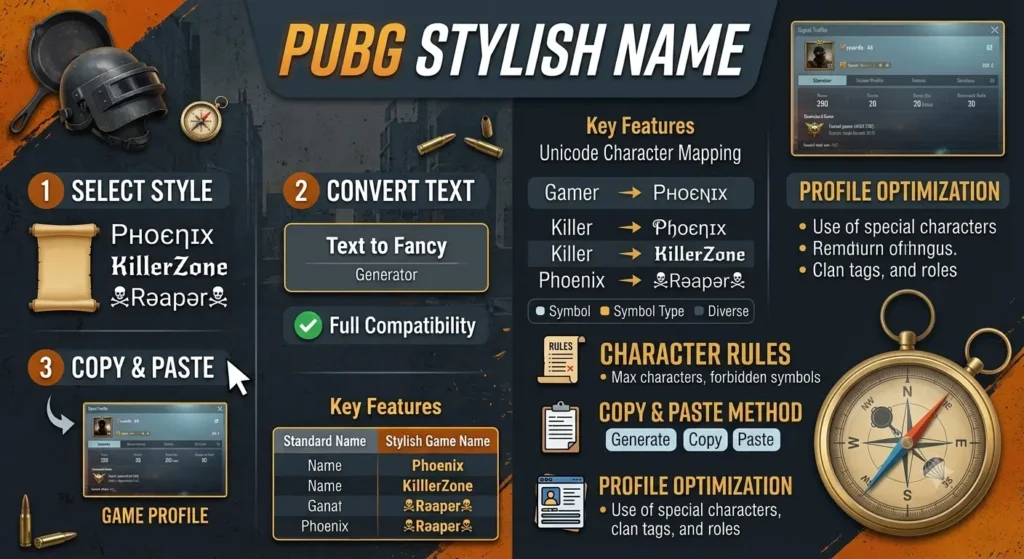
PUBG vs BGMI vs Free Fire — the name rules side by side
If you play across multiple games, this is the table you actually need. A name that fits in one game might not work in another — not because of Unicode support but because of different character limits.
| Rule | PUBG Mobile | BGMI | Free Fire |
|---|---|---|---|
| Character limit | 16 characters | 16 characters | 20 characters |
| Unicode font styles | ✅ Yes | ✅ Yes | ✅ Yes |
| Symbol borders | ⚠️ Limited by char count | ⚠️ Limited by char count | ✅ More room at 20 chars |
| Emoji | ⚠️ Partial — device-dependent | ⚠️ Partial — some blocked | ⚠️ Partial — device-dependent |
| Name change method | Rename Card (from store or events) | Rename Card (same system) | 390 diamonds or Name Change Card |
| Cost | Rename Card — varies by store price | Rename Card — varies | 390 diamonds (approximately $5–6 USD equivalent) |
| Name uniqueness required? | ❌ No | ❌ No | ❌ No |
BGMI and PUBG Mobile share the same name system because BGMI is the Indian-market version of PUBG Mobile. Same engine, same backend, same rules. If a name works in one, it works in the other. The only difference is that some regional events in BGMI include rename cards specific to that version.
Which styles actually work in PUBG’s kill feed
This is more specific than “which Unicode ranges are supported.” The question worth asking is: which styles are actually readable at the size names appear in PUBG Mobile’s interface?
PUBG’s kill feed text is small. Gothic at full size with long border strings — something that looks great in a profile preview — can become a blob of characters at kill feed size. Here is what holds up and what does not, from experience rather than theory:
- Short Gothic names (4–7 letters) work very well. A name like 𝔊𝔥𝔬𝔰𝔱 or 𝔖𝔱𝔬𝔯𝔪 is immediately readable at any size. A 16-character Gothic name with PUBG name symbols on both ends is pushing it.
- Small capitals are underrated here. ᴘʜᴀɴᴛᴏᴍ or ꜱᴛᴏʀᴍ reads cleanly at small sizes because the letterforms are simple. Nobody talks about small caps in the PUBG community, which is exactly why they stand out.
- Cursive is better for profiles than kill feeds. The loops and curves of cursive look great on your profile page and in clan lists. In the kill feed at small text, they can blur into each other. If you play PUBG competitively and care about how your name reads in clips, consider a cleaner font for the actual game name.
- PUBG name with border symbols: one on each side maximum. ꧁Name꧂ works and looks clean. ꧁☬༒Name༒☬꧂ pushes the character limit and becomes hard to parse quickly. Given PUBG’s 16-character cap, every decorative character is one fewer letter in your actual name.
Names to copy right now — tested in PUBG Mobile
All of these fit within PUBG’s 16-character limit and display correctly in the game.
PUBG mobile username ideas, OP and attitude — for competitive and ranked players
Gothic — short and readable at kill feed size
𝔊𝔥𝔬𝔰𝔱𝔉𝔦𝔯𝔢 𝔖𝔱𝔬𝔯𝔪𝔎𝔦𝔫𝔤 𝔇𝔞𝔯𝔨𝔖𝔬𝔲𝔩Small caps — clean and distinct
ꜱɴɪᴘᴇʀᴋɪɴɢ ᴅᴇᴀᴅꜱʜᴏᴛ ᴘʜᴀɴᴛᴏᴍxᴘʀᴏDouble-struck — modern feel
𝔻𝕒𝕣𝕜𝕊𝕙𝕠𝕥 𝕾𝖙𝖔𝖗𝖒𝔸𝕔𝕖 𝔾𝕙𝕠𝕤𝕥𝔹𝕠𝕞𝕓Gothic with minimal border — fits in 16 chars
꧁𝔖𝔦𝔩𝔢𝔫𝔱꧂ ༒𝔊𝔥𝔬𝔰𝔱༒ ✦𝔖𝔱𝔬𝔯𝔪✦
Cute — for girl players and aesthetic accounts
Cursive — elegant profile name
𝓢𝓪𝓴𝓾𝓻𝓪 𝓜𝓸𝓸𝓷𝓰𝓲𝓻𝓵 𝓛𝓾𝓷𝓪𝓢𝓽𝓪𝓻Cursive with heart border — fits in 16 chars
♡𝓢𝓪𝓴𝓾𝓻𝓪♡ ✿𝓐𝓷𝓰𝓮𝓵✿ 🌸𝓢𝓸𝓯𝓽🌸Italic — understated and soft
𝑺𝒘𝒆𝒆𝒕𝑺𝒕𝒂𝒓 𝑳𝒖𝒏𝒂𝑷𝒆𝒂𝒄𝒉 𝑺𝒐𝒇𝒕𝑮𝒊𝒓𝒍
PUBG clan name stylish and squad names
Gothic — the established clan aesthetic
꧁𝔖𝔱𝔬𝔯𝔪꧂ ꧁𝔇𝔬𝔪꧂ ༒𝔄𝔰𝔥𝔢𝔰༒Small caps — clean and professional
ꜱᴛᴏʀᴍᴄʀᴇᴡ ᴀsʜᴄʟᴀɴ ɢʜᴏsᴛsǫᴜᴀᴅCursive — stands out from Gothic-heavy clan lists
✦𝓔𝓵𝓲𝓽𝓮✦ 𝓢𝓱𝓪𝓭𝓸𝔀𝓢 ✦𝓖𝓱𝓸𝓼𝓽𝓼✦
How to apply your stylish name in PUBG Mobile
Quick version: profile → your name → rename → paste → confirm → rename card gone.
Full version, for first-timers:
- Use the PUBG display name generator at the top to find a name and copy it.
- Open PUBG Mobile. You need to be on the home screen.
- Tap your profile picture or your character avatar in the top-left corner.
- Your current name appears with an edit icon next to it. Tap it.
- Delete your current name completely. Long-press the field and tap Paste.
- Tap confirm or the checkmark. The game will ask you to use a Rename Card.
- Confirm. Your new name is live immediately across all game modes.
One thing worth knowing before you commit: PUBG Mobile rename cards are not free but they are not tied to a fixed diamond cost the way Free Fire is. You get them through events, season rewards, and the in-game store — and the store price varies by region. Check your store before assuming the cost. If you have a card sitting in your inventory from an event, use that rather than buying one.
Also — if you have never changed your name and want to test how a stylish name looks in an actual match first, some players create a secondary account specifically for this. It costs nothing to make a new account, and you can set any name during initial setup for free. Go into a training mode or a casual match, look at how your name appears in the kill feed and above your character, and decide from there.
A note on PUBG vs BGMI — for players on both
BGMI (Battlegrounds Mobile India) is PUBG Mobile running under a different name for the Indian market. The underlying game engine, name system, and Unicode character support are identical. If you have a stylish name that works in PUBG Mobile, it will work in BGMI without any changes. If you are using the same account across both — which is not possible; they are separate games with separate accounts — you would need to set the name separately in each one.
The dedicated BGMI stylish names page covers a few region-specific considerations for Indian players, but the name styles themselves are the same.
Things people get wrong about PUBG stylish names
“PUBG does not support special characters.” It does. It has for years. This was probably true at launch in certain regions but it has not been true for a long time. Tens of millions of PUBG Mobile players are using Unicode names right now.
“You need an app to generate these names.” No. Unicode text does not require any app to generate or paste. The generator on this page runs in your browser. You copy the text, you paste it into the game. That is the complete process.
“The character limit is 12.” It is 16 in PUBG Mobile. The 12-character figure appears on a lot of older guides and has been wrong for at least two major game updates. If a name that you can see is 14 characters gets rejected, the issue is that some of the Unicode characters in it are counting as two characters internally — not that the limit is lower than 16.
“Stylish names affect matchmaking or ranking.” They do not. Names are cosmetic. PUBG Mobile’s matchmaking is skill-based (tier and rating). Your name has no influence on what lobby you get or how the game treats your account.
More names to explore
- Free Fire stylish names — if you play both FF and PUBG, check the FF page for styles with Free Fire’s specific rules applied
- BGMI stylish names — the Indian-market version; same name rules, some region-specific curated names
- Gaming stylish names hub — all major mobile games in one place
- Attitude stylish names — larger collection of OP and attitude styles across all platforms
- Stylish names for boys — curated collection across attitude, royal, and dark styles
- Stylish names for girls — cute, aesthetic, and soft styles for girl players
- Hindi stylish names — PUBG-compatible names generated from Hindi input
- Urdu stylish names — Urdu-input names tested in PUBG Mobile
Quick answers
How do I change my name in PUBG Mobile?
Tap your profile picture in the top-left of the home screen, then tap the edit icon next to your name. Delete the current name, paste the new one, and confirm. You will need to use a Rename Card.
How much does a PUBG Mobile name change cost?
You need a Rename Card. These are available through events, season rewards, and the in-game store. The store price varies by region — check your local store rather than assuming a fixed cost. Unlike Free Fire, there is no diamond cost option; it is cards only.
Which symbols work in a PUBG Mobile name?
Gothic, cursive, bold, italic, double-struck, and small capitals all work. Decorative brackets like ꧁ ꧂ ༒ work. Star and PUBG name with special symbols like ☬ ✦ ★ work. Most standard emoji work on current devices. Very obscure Unicode ranges get filtered and show as blank boxes — those are already removed from our generator.
What is the character limit for a PUBG Mobile name?
16 characters. Not 12 — that number is wrong and appears on a lot of older guides. Some Unicode characters count as more than one slot internally, so names with heavy borders can hit the limit faster than the visible character count suggests.
Is PUBG Mobile the same as BGMI for name rules?
Yes. BGMI runs on the same engine as PUBG Mobile and uses the same name system. Character limit, Unicode support, and rename card requirement are identical. The only differences are account separation — they are separate games with separate accounts — and some India-specific event rewards in BGMI.
Can two PUBG players have the same name?
Yes. PUBG Mobile does not require PUBG unique name. Your unique identifier is your player ID number, not your display name. Multiple players can share identical names.
Does a stylish name affect my PUBG ranking or matchmaking?
No. Names are cosmetic only. Matchmaking in PUBG Mobile is based on your tier and rating. Your name has no effect on which lobby you enter or how the game treats your account.