
Urdu Stylish Names — اردو اسٹائلش نام — Copy & Paste (2026)
Click any style to copy it to your clipboard!
Type your name in Urdu in the generator above and it will turn into stylish Unicode versions you can copy and paste into WhatsApp, PUBG Mobile, Free Fire, or Instagram. Everything here works on real platforms — not just in a preview box.
If you want to understand how Urdu script behaves in game name fields and messaging apps — including a few quirks that are worth knowing before you spend a rename card — read on.
اردو نام اسٹائل — Urdu names and Unicode
Urdu is written in Nastaliq — a form of the Arabic script. Every letter, every diacritic, every ligature in Urdu is already part of the Unicode standard. This means that any modern phone, game, or app that supports Unicode can display Urdu text. You are not dealing with a special font or a custom encoding — Urdu script is natively supported everywhere.
What the generator does is take your Urdu input and combine it with Unicode decorative elements — border symbols, font-weight variations, decorative characters from other Unicode ranges — to create name styles that look more designed than plain typed text. The base Urdu letters stay as Urdu letters. The styling is added around and between them.
The result is a name that reads naturally in Urdu while looking visually distinct from a default-typed name in any app's name field.
One thing to know about Urdu text in game name fields
Most game name fields — PUBG Mobile, Free Fire, BGMI — are designed around left-to-right Latin script. Urdu is right-to-left. This creates a rendering behaviour worth understanding before you commit a rename card.
When you paste an Urdu name into a left-to-right field, the game's text rendering engine has to decide how to handle the bidirectional text. What usually happens:
- The Urdu characters display correctly — the letters and ligatures render as they should because Unicode Arabic script is universally supported.
- The text direction may appear reversed in some games — in a left-to-right field, Urdu text sometimes starts from the left rather than the right, which can make a name look slightly unusual compared to how it looks in a messaging app like WhatsApp.
- Mixing Urdu with Latin decorative border symbols (like ꧁ ꧂ or ☬) works and looks striking — the border characters display left-to-right while the Urdu text sits between them.
- WhatsApp handles Urdu names the best of any platform — it is designed for global character sets and handles right-to-left text natively.
The practical recommendation: if you want a stylish Urdu name for gaming, combine your Urdu name with Latin border symbols. The borders anchor the left-to-right layout and the Urdu text sits inside them looking intentional. For WhatsApp and Instagram display names, pure Urdu Unicode font names work without any adjustments.
Platform compatibility — Urdu fancy names
| Platform | Urdu Unicode support | Notes |
|---|---|---|
| ✅ Excellent | Best platform for Urdu names. Right-to-left rendering works perfectly. Your Urdu display name appears correctly to all contacts. | |
| ✅ Very good | Display name field handles Urdu text well. The Urdu name style for Instagram appears correctly in your profile bio section. | |
| PUBG Mobile | ⚠️ Good with caveats | Urdu characters display but direction can be inconsistent in the left-to-right game UI. Mixing with border symbols helps. 16-character limit applies. |
| Free Fire | ⚠️ Good with caveats | Same as PUBG Mobile — Urdu renders but direction can appear left-anchored. Border symbols around the Urdu text help. 20-character limit applies. |
| TikTok | ✅ Good | Display name field handles Urdu well. Renders correctly in the video overlay context. |
| ✅ Excellent | Facebook has strong right-to-left support. Urdu names display correctly in profile, timeline, and comments. | |
| Truecaller | ✅ Very good | Popular in Pakistan for exactly this use — setting a fancy Urdu display name so it shows when you call someone. Works reliably. |
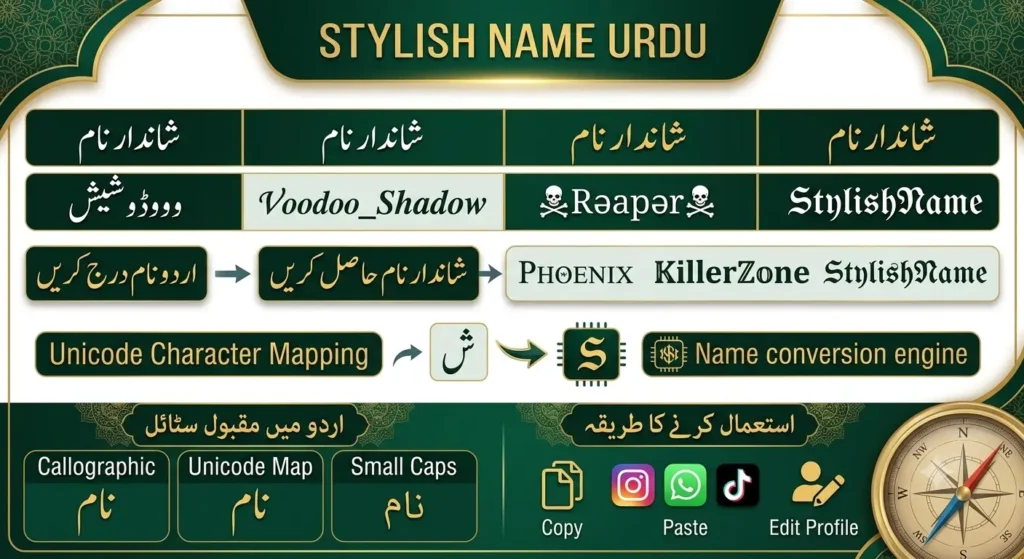
Best Urdu stylish names 2026 ideas — ready to copy
Names for boys — لڑکوں کے لیے نام
Urdu name with symbol border — gaming style
꧁ علی ꧂ ༒ احمد ༒ ꧁☬ عمر ☬꧂Urdu name with star border
✦ حسن ✦ ★ زین ★ ✦ رضا ✦Plain Urdu Unicode — for WhatsApp and Instagram
علی حسن احمد رضا عمر فاروق زین العابدین
Names for girls — لڑکیوں کے لیے نام
Urdu name with heart or flower border
♡ زینب ♡ ✿ فاطمہ ✿ 🌸 عائشہ 🌸Elegant Urdu Unicode — for Instagram and WhatsApp
زینب حسن فاطمہ نور عائشہ خان مریم علی
Attitude names — ایٹیٹیوڈ نام
Gothic border with Urdu — strong visual impact
꧁𝔊𝔥𝔬𝔰𝔱 علی꧂ ༒𝔎𝔦𝔫𝔤 احمد༒ ꧁💀 ظالم 💀꧂Urdu attitude name with sword symbols
☬ شیطان ☬ ⚔ دشمن ⚔ ✦ باغی ✦
Popular Indian & Pakistani names in stylish format
Common Pakistani gamer stylish names with border
꧁ علی ꧂ ꧁ احمد ꧂ ꧁ محمد ꧂ ꧁ عمر ꧂
Girl names with border
꧁ زینب ꧂ ꧁ فاطمہ ꧂ ꧁ عائشہ ꧂ ꧁ مریم ꧂
How to use your Urdu stylish names on WhatsApp
WhatsApp is the best platform to start with for Urdu names — it handles right-to-left text the most reliably.
- Type your name in Urdu in the generator above. The tool will generate stylish versions with borders and decorative elements.
- Tap the style you want to copy it to your clipboard.
- Open WhatsApp → Settings → tap your profile at the top → pencil icon next to your name.
- Delete your current name, long-press the field, and tap Paste.
- Tap the confirm icon. Your Urdu stylish name is live immediately.
Everyone who does not have you saved in their phone contacts will see your new stylish Urdu name when they open a conversation with you or see you in a group chat.
How to use your Urdu stylish name in PUBG Mobile — اردو گیمنگ نام 2026
PUBG Mobile works, but there is one extra consideration for Urdu names specifically. Because the game uses a left-to-right name field, your Urdu text will be anchored to the left rather than the right. This is fine — it still reads as Urdu, and the letters still render correctly. But if you want it to look more like a designed name rather than text that was just dropped in, add a border symbol on each side.
A name like ꧁ علی ꧂ looks intentional and balanced in PUBG's kill feed. A name that is just علی with no border will display correctly but may feel unfinished in the context of a game lobby where most stylish names have some kind of frame.
Remember PUBG Mobile's 16-character limit. Urdu letters are individual Unicode characters and each counts as one slot. A short name like علی (three characters) leaves plenty of room for borders. A longer name like عبدالرحمٰن (twelve characters including the diacritic) leaves little room for anything else.
Urdu names on Truecaller — a note for Pakistani users
Truecaller is widely used across Pakistan for identifying incoming calls. Your Truecaller display name — the name shown when you call someone who has the app — can be set to a stylish Urdu name. This is a genuinely popular use case in Pakistan that most stylish name sites do not even mention.
If you set a stylish Urdu name on Truecaller, it shows up on the screens of people you call who use the app. It is a small but visible personal branding detail in a country where Truecaller has very high penetration.
The Truecaller stylish names page covers the specific steps for setting a display name on Truecaller.
Quick answers — اکثر پوچھے جانے والے سوالات
How do I write my Urdu name in a stylish font?
Type your name in Urdu in the generator at the top of this page. The tool generates stylish Unicode versions with borders and decorative elements. Tap any style to copy it, then paste it into WhatsApp, PUBG, Instagram, or wherever you need it.
Does a Urdu stylish names work in PUBG Mobile?
Yes. Urdu Unicode characters are supported in PUBG Mobile player names. The text renders correctly — though because PUBG's name field is left-to-right, Urdu text is anchored to the left. Adding border symbols on each side (like ꧁ ꧂) helps the name look intentional and balanced in the game's UI.
Can I use a Urdu stylish names on WhatsApp?
Yes — WhatsApp has the best Urdu Unicode support of any platform. Right-to-left text renders correctly, the name displays properly in chat lists and conversation headers, and it updates immediately for all your contacts.
Will a Urdu name work on Instagram?
Yes — in the display name field (the bold name on your profile). Not in the @username, which is restricted to plain Latin characters. The display name field handles Urdu text correctly.
Do I need a special keyboard or app to type Urdu names?
No. If your phone already has a Urdu keyboard installed (standard on Pakistani Android and iPhone setups), you can type directly into the generator. If you are on a computer without a Urdu input method, you can copy and paste Urdu text from anywhere into the generator's input field and it will work.