
Stylish Name for BGMI — Copy & Paste Battlegrounds Mobile India Names (2026)
Click any style to copy it to your clipboard!
Pick a name from the generator above, copy it, open BGMI, paste it in. Every BGMI name style here works in Battlegrounds Mobile India. We have tested the characters — nothing that fails in the game is included.
If you want to know what makes BGMI names different from PUBG Mobile names (spoiler: not much, but there are a few things), or which styles hold up in BGMI’s kill feed specifically, read on. If you just need a name right now, the tool is already up there.
BGMI is back — and so is the name game
If you were playing BGMI before the 2022 ban and came back when it relaunched in 2023, you know the reload was not seamless for everyone. Accounts, progress, names — some things carried over, some did not depending on when you last played and how the migration handled your data.
A lot of players who came back treated the relaunch as a clean start. New season, fresh account, time to finally get that name right rather than sticking with whatever they typed five minutes into creating their first account years ago. That is a reasonable instinct. A stylish name is one of the few things in BGMI that is entirely yours — not tied to rank, not tied to your squad, not dependent on how many hours you put in. Just your name, looking the way you want it to.
The process is simple. The name rules are identical to PUBG Mobile. And the community around BGMI unique names — especially in India, where the Hindi stylish name searches are genuinely massive — is active and specific in ways the global PUBG community is not.
The technical side — what BGMI accepts and what it does not
BGMI and PUBG Mobile run on the same game engine. Same character limit (16), same Unicode support, same filtering of obscure character ranges. If you have already used our PUBG stylish names page, the technical rules are the same here.
The character limit is 16 characters. That includes every letter, symbol, and Unicode character in your name. Some Unicode characters count as more than one slot internally — this is why a name can get rejected even when it visually looks shorter than 16 characters. If that happens, remove one border symbol and try again.
| Character type | Examples | Works in BGMI? | Notes |
|---|---|---|---|
| Mathematical script (cursive) | 𝓐 𝓑 𝓒 𝓓 | ✅ Yes | Fully supported. Very popular in Indian BGMI communities. |
| Gothic / Fraktur | 𝔄 𝔅 ℭ 𝔇 | ✅ Yes | Works perfectly. The most used style in BGMI ranked lobbies. |
| Bold mathematical | 𝗔 𝗕 𝗖 𝗗 | ✅ Yes | Clean and readable. Good for short names that need weight. |
| Double-struck | 𝔸 𝔹 ℂ 𝔻 | ✅ Yes | Works. Less common in BGMI than Gothic — stands out more. |
| Italic script | 𝘈 𝘉 𝘊 𝘋 | ✅ Yes | Supported. Good for aesthetic and sad BGMI name. |
| Small capitals | ᴀ ʙ ᴄ ᴅ | ✅ Yes | Works well. Underused in BGMI — distinctive for that reason. |
| Decorative brackets | ꧁ ꧂ ༒ ᭄ | ✅ Yes | Works. Use sparingly — each takes a character slot from your 16. |
| Sword and star symbols | ☬ ✦ ★ ✾ | ✅ Yes | Reliable for BGMI name with border symbols and separators. |
| Heart symbols | ♡ ❤ ♥ | ✅ Yes | Fully supported. Popular in cute names for girl players. |
| Standard emoji | 🔥 💀 ⚡ 👑 | ⚠️ Partial | Works on most current Android phones. Inconsistent on older devices. Test before using a rename card. |
| Obscure Unicode planes | Various | ❌ No | Filtered — appear as blank squares. Already removed from our generator. |
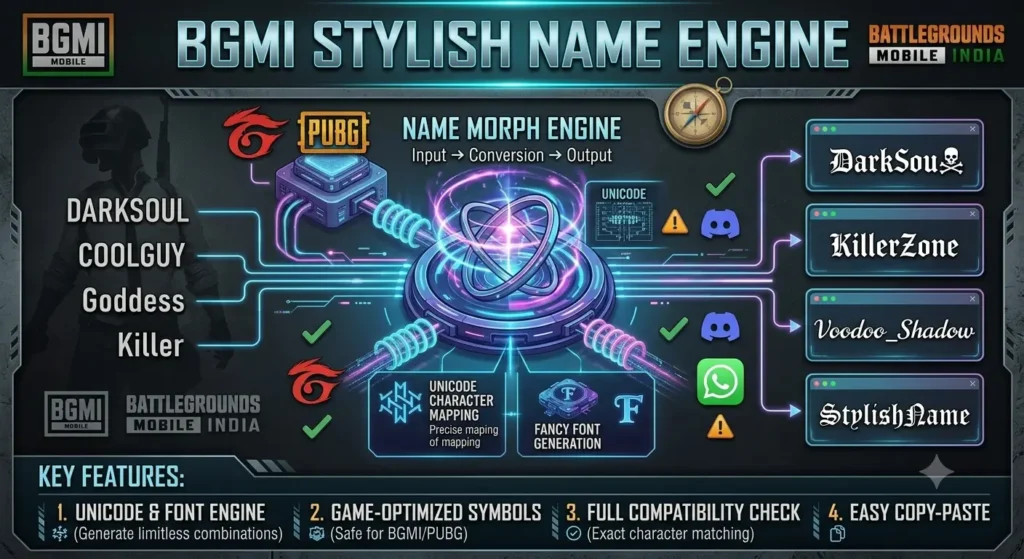
BGMI names and the Indian gaming community — what is actually popular here
The BGMI player base in India has its own distinct name culture that is worth understanding if you want a name that fits in rather than one that looks generic.
A few things that are specific to BGMI India that you will not see discussed on most stylish name sites:
- Hindi name searches are massive here. Searches for “BGMI name Hindi style” and “BGMI stylish name in Hindi” are among the highest-volume queries in this entire niche for Indian users. Players want to represent their language in the game, not just use English words in fancy fonts. The Hindi stylish names page generates Unicode versions of Hindi script names — worth checking if you want something that feels specifically Indian rather than globally generic.
- OP and attitude names dominate ranked lobbies. The cultural context of BGMI in India is intensely competitive — the esports scene is serious, the content creator ecosystem around BGMI is large, and rank is a significant social signal. Names that project dominance (Gothic, heavy borders, sword symbols) are overrepresented in higher lobbies. Which means that a clean, unusual name actually stands out more here than in casual global lobbies.
- Clan names carry more weight in BGMI India than in most regions. Clans in BGMI are social units with real community identity — YouTube channels, Discord servers, TikTok accounts all built around them. A clan name that looks good as a display name and also works as a YouTube channel name or social handle is genuinely useful.
Names to copy right now — tested in BGMI
All of these fit within the 16-character limit and display correctly in the game.
OP and attitude — for ranked players and serious accounts
Gothic — classic BGMI ranked lobby look
𝔖𝔦𝔩𝔢𝔫𝔱𝔎𝔦𝔩𝔩 𝔊𝔥𝔬𝔰𝔱𝔉𝔦𝔯𝔢 𝔇𝔞𝔯𝔨𝔖𝔬𝔲𝔩Gothic with minimal border — fits in 16 chars
꧁𝔖𝔦𝔩𝔢𝔫𝔱꧂ ༒𝔊𝔥𝔬𝔰𝔱༒ ✦𝔖𝔱𝔬𝔯𝔪✦Small caps — clean and distinctive in BGMI
ꜱɴɪᴘᴇʀᴋɪɴɢ ᴅᴇᴀᴅꜱʜᴏᴛ ᴘʜᴀɴᴛᴏᴍxᴘʀᴏDouble-struck — modern, less common
𝔻𝕒𝕣𝕜𝕊𝕙𝕠𝕥 𝕾𝖙𝖔𝖗𝖒𝔸𝕔𝕖 𝔾𝕙𝕠𝕤𝕥𝔹𝕠𝕞𝕓
Cute — for girl players and aesthetic accounts
Cursive — elegant and widely supported
𝓢𝓪𝓴𝓾𝓻𝓪 𝓜𝓸𝓸𝓷𝓰𝓲𝓻𝓵 𝓛𝓾𝓷𝓪𝓢𝓽𝓪𝓻Cursive with border — fits in 16 chars
♡𝓢𝓪𝓴𝓾𝓻𝓪♡ ✿𝓐𝓷𝓰𝓮𝓵✿ 🌸𝓢𝓸𝓯𝓽🌸Italic — soft and understated
𝑺𝒘𝒆𝒆𝒕𝑺𝒕𝒂𝒓 𝑳𝒖𝒏𝒂𝑷𝒆𝒂𝒄𝒉 𝑺𝒐𝒇𝒕𝑮𝒊𝒓𝒍
BGMI clan name stylish and squad names for BGMI
Gothic border — the Indian BGMI clan standard
꧁𝔖𝔱𝔬𝔯𝔪꧂ ꧁𝔇𝔬𝔪꧂ ༒𝔄𝔰𝔥𝔢𝔰༒Small caps — works as clan name and social handle
ꜱᴛᴏʀᴍᴄʀᴇᴡ ɪɴᴅɪᴀɴᴇʟɪᴛᴇ ᴀsʜᴄʟᴀɴCursive — distinct from Gothic-heavy clan lists
✦𝓔𝓵𝓲𝓽𝓮✦ 𝓢𝓱𝓪𝓭𝓸𝔀𝓢 ✦𝓖𝓱𝓸𝓼𝓽𝓼✦
BGMI name font change
Same process as PUBG Mobile, because it is the same system.
- Use the generator at the top of this page to pick and copy a name.
- Open BGMI on your phone. Go to the home screen.
- Tap your profile picture or avatar in the top-left corner.
- Tap the edit icon next to your current player name.
- Delete the existing name completely. Long-press the empty field and tap Paste.
- Tap confirm. You will need to use a Rename Card.
- Done — your new name is live immediately.
Rename Cards in BGMI come from events, season rewards, and the in-game store. The store pricing is in Indian rupees for most users and varies depending on which bundle you buy. If you have cards sitting unused in your inventory from older events — use those first. A lot of players forget they have them.
One thing worth doing before spending a card: make a second account (free to create) and set whatever name you are considering during initial setup for free. Go into a training match and look at how the name actually appears above your character head and in the kill feed. Names that look great in a preview box can look different in-game. Worth the five minutes to check.
BGMI 2.0 — do stylish names still work?
Yes. BGMI 2.0 updated the gameplay systems and graphics but did not change the name system. The Unicode character support is the same. The 16-character limit is the same. Rename Cards work the same way. Every style in the BGMI display name generator above is confirmed to work in BGMI 2.0.
Is BGMI exactly the same as PUBG Mobile for names?
For name rules — yes, essentially. Same 16-character limit, same Unicode support, same rename card requirement. BGMI runs on the same Unreal Engine-based system as PUBG Mobile, and the name handling has not been independently changed for the Indian version.
The differences are around the account system (separate accounts — BGMI progress does not carry to global PUBG Mobile and vice versa) and around regional content in the store. But if a stylish name works in PUBG Mobile, it works in BGMI.
If you are looking at the PUBG stylish names page alongside this one, the curated name examples are different but the technical character support is the same.
Common questions about BGMI stylish names
“Do I need a special app?” No. This is plain Unicode text. The generator on this page runs in your browser. You copy, you paste, done.
“Will I get banned for using a stylish name?” No. BGMI allowed special characters. Tens of millions of players use these names. The only names that risk action from Krafton (BGMI’s developer) are names that violate their content policy — profanity, hate speech, that kind of thing. A stylish Unicode font is not a ToS violation.
“The character limit is 10/12/14 characters.” It is 16. These other numbers appear on older content and are wrong. The confusion usually comes from the fact that some Unicode characters count as more than one slot internally — so a name with heavy borders can be rejected at what looks like 14 characters even though the actual limit is 16.
“Hindi characters do not work in BGMI.” They do work, but the Unicode version of Hindi script in BGMI is a bit more limited than Latin-based styles. The Hindi stylish names page has tested combinations that display correctly.
More names to explore
- PUBG Mobile stylish names — same name rules, different curated name collections
- Free Fire stylish names — if you play both, note that FF allows 20 characters vs BGMI’s 16
- Gaming stylish names hub — all major mobile games in one place
- Attitude stylish names — extended collection of OP and attitude styles
- Royal stylish names — Complete generator of royal BGMI name
- Stylish names for boys — full collection across BGMI name for boy, attitude, royal, and dark styles
- Stylish names for girls — cute, aesthetic, and soft styles for girl players
- Hindi stylish names — BGMI-compatible names from Hindi input
- Urdu stylish names — Urdu-input names tested in BGMI
Quick answers
How do I change my name in BGMI?
Profile picture (top-left) → edit icon next to your name → delete the old one → paste the new one → confirm. You need a Rename Card to complete the change.
How much does a BGMI name change cost?
You need a Rename Card. These come from events, season rewards, and the in-game store. Check your inventory first — a lot of players have unused cards from past events sitting there.
Which symbols work in a BGMI name?
Gothic, cursive, bold, italic, double-struck, and small capitals all work. Decorative brackets like ꧁ ꧂ ༒ work. BGMI name with symbols like ☬ ✦ ★ work. Hearts like ♡ ❤ work. Most standard emoji work on current devices. Very obscure Unicode ranges show as blank squares — already removed from our generator.
What is the character limit for a BGMI name?
16 characters. Other numbers floating around are wrong. Some Unicode characters count as more than one slot internally — if a name gets rejected, remove a border symbol and try again.
Is BGMI the same as PUBG Mobile for name rules?
Yes. Same 16-character limit, same Unicode support, same rename card requirement. The games share the same underlying engine and name system. BGMI progress and PUBG Mobile progress are on separate accounts, but the name rules are identical.
Does a stylish name affect BGMI ranking or performance?
No. Names are cosmetic. Matchmaking and ranking are based on your tier and rating, not your name.
Do stylish names work in BGMI 2.0?
Yes. The 2.0 update changed graphics and gameplay systems but not the name system. Unicode support, the 16-character limit, and rename cards all work the same way in BGMI 2.0.