
Stylish Name Truecaller — Fancy Caller ID Names to Copy & Paste
Click any style to copy it to your clipboard!
Truecaller displays your name when you call people — even strangers who do not have your number saved. A stylish Truecaller name is visible to more people than almost any other platform setting. Copy a name from the generator above and paste it into your Truecaller profile.
What makes Truecaller different from every other platform here
Every other platform on this site shows your name to people who already follow you, are in your contacts, or have chosen to view your profile. Truecaller does something different: it shows your name to anyone you call, whether or not they have you saved. Your stylish name appears on their incoming call screen the moment your number rings.
In Pakistan and India, where Truecaller has an extremely high install rate, this means your Truecaller name is effectively your public phone identity. Businesses, delivery drivers, customer service — anyone you call sees your Truecaller name if they have the app. That is a different kind of visibility than an Instagram bio or a gaming lobby.
The practical implication for stylish names: Truecaller names work best when they read as a genuine name in a styled font — the same logic as Facebook, but for a different reason. A name like 𝗔𝗹𝗶 𝗦𝗵𝗮𝗵 in bold looks styled and intentional when it appears as a caller ID. A name like ꧁💀𝔇𝔞𝔯𝔨𝔎𝔦𝔩𝔩𝔢𝔯💀꧂ is confusing as a caller ID and may cause the recipient to not answer.
Which stylish names Truecaller works
| Style | Works in Truecaller? | Notes |
|---|---|---|
| Bold mathematical (𝗔𝗹𝗶 𝗦𝗵𝗮𝗵) | ✅ Yes — recommended | Renders clearly as caller ID. Best option. |
| Cursive (𝓐𝓵𝓲 𝓢𝓱𝓪𝓱) | ✅ Yes | Renders on most devices. Elegant and recognisable. |
| Small caps (ᴀʟɪ ꜱʜᴀʜ) | ✅ Yes | Clean. Reads as a real name in a unique style. |
| Double-struck (𝔸𝕝𝕚 𝕊𝕙𝕒𝕙) | ✅ Yes | Works on current devices. Modern VIP look. |
| Italic (𝘈𝘭𝘪 𝘚𝘩𝘢𝘩) | ✅ Yes | Works. Looks natural as a styled real name. |
| Gothic with borders | ⚠️ Use carefully | Gothic renders but heavy borders look odd on a call screen. Use Gothic font without border decoration for Truecaller. |
| Heavy emoji in name | ⚠️ Use carefully | Emoji render on modern devices but look unusual on a caller ID screen. One subtle emoji at most. |
| Very long decorated names | ❌ Avoid | Caller ID screens are small. Long borders get cut off or look confusing. Keep it short and clear. |
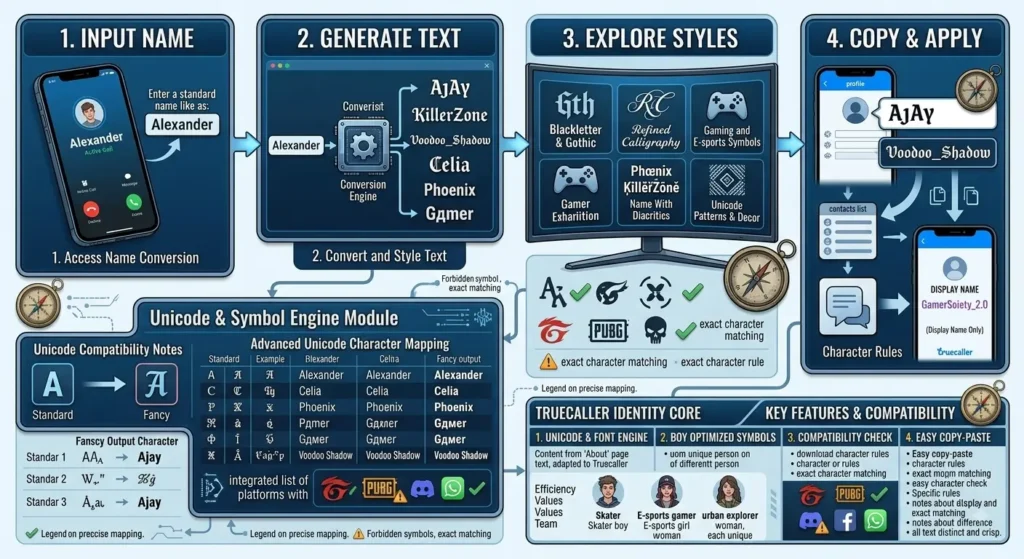
Stylish name Truecaller ideas — caller ID appropriate
Bold — clean and confident on a call screen
Bold — your actual name, styled
𝗔𝗹𝗶 𝗦𝗵𝗮𝗵 𝗦𝗮𝗿𝗮𝗵 𝗞𝗵𝗮𝗻 𝗔𝗵𝗺𝗮𝗱 𝗥𝗮𝘇𝗮 𝗙𝗮𝘁𝗶𝗺𝗮 𝗡𝗮𝘇Bold italic — dynamic and modern
𝘼𝙡𝙞 𝙎𝙝𝙖𝙝 𝙎𝙖𝙧𝙖𝙝 𝙆𝙝𝙖𝙣 𝘼𝙝𝙢𝙖𝙙 𝙍𝙖𝙯𝙖 𝙁𝙖𝙩𝙞𝙢𝙖
Cursive — elegant for personal identity
Cursive — works on Truecaller caller ID
𝓐𝓵𝓲 𝓢𝓱𝓪𝓱 𝓢𝓪𝓻𝓪𝓱 𝓚𝓱𝓪𝓷 𝓐𝓱𝓶𝓪𝓭 𝓕𝓪𝓽𝓲𝓶𝓪 𝓝𝓪𝔃
Small caps — formal and distinctive
Small caps — reads as a real name uniquely styled
ᴀʟɪ ꜱʜᴀʜ ꜱᴀʀᴀʜ ᴋʜᴀɴ ᴀʜᴍᴀᴅ ʀᴀᴢᴀ ꜰᴀᴛɪᴍᴀ ɴᴀᴢ
How to change your name on Truecaller
- Copy a name from the generator above.
- Open Truecaller. Tap your profile photo or avatar (top-left).
- Tap Edit Profile.
- Clear the name field and paste the new stylish name.
- Tap Save. The change takes effect immediately and syncs to Truecaller’s database.
Important: When you save a new name on Truecaller, it updates in Truecaller’s global caller ID database. Anyone who searches your number on Truecaller will see the new name. The change is public, not just for your contacts.
Truecaller name and WhatsApp name — keeping them consistent
Many people in Pakistan and India use both Truecaller and WhatsApp as their primary communication tools. A consistent stylish identity across both — same font style, same name — creates a more polished personal brand. If your WhatsApp shows 𝓐𝓵𝓲 𝓢𝓱𝓪𝓱 in cursive and your Truecaller shows 𝗔𝗹𝗶 𝗦𝗵𝗮𝗵 in bold, both read as the same person in different visual registers. That consistency works.
More social media name styles
- WhatsApp stylish names — closest equivalent to Truecaller in context
- Facebook stylish names — real-name policy context, similar styling advice
- Instagram stylish names — more creative freedom
- Urdu stylish names — Urdu name input for Truecaller profiles
- Hindi stylish names — Hindi name input
- Stylish names for boys — all moods and platforms
- Stylish names for girls — all moods and platforms
Quick answers
Does Truecaller show Unicode font names?
Yes. Bold, cursive, italic, small caps, and double-struck all render on Truecaller caller ID screens. Heavy symbol borders and gaming-style decorations work technically but look odd as caller ID — keep the name recognisable as a personal name.
How do I change my Truecaller name?
Profile avatar → Edit Profile → clear name field → paste → Save. The change syncs to Truecaller’s global database immediately.
Will my stylish name Truecaller show when I call strangers?
Yes. Truecaller shows your name to anyone you call who has Truecaller installed — whether or not they have your number saved. This is what makes Truecaller naming different from every other platform.
Is it safe to put a stylish name on Truecaller?
Yes — using a Unicode font style with your real name is safe and common. Avoid using a completely different name or fake identity, as Truecaller is used as a trust signal for incoming calls. A styled real name is fine. A false name is a different matter.